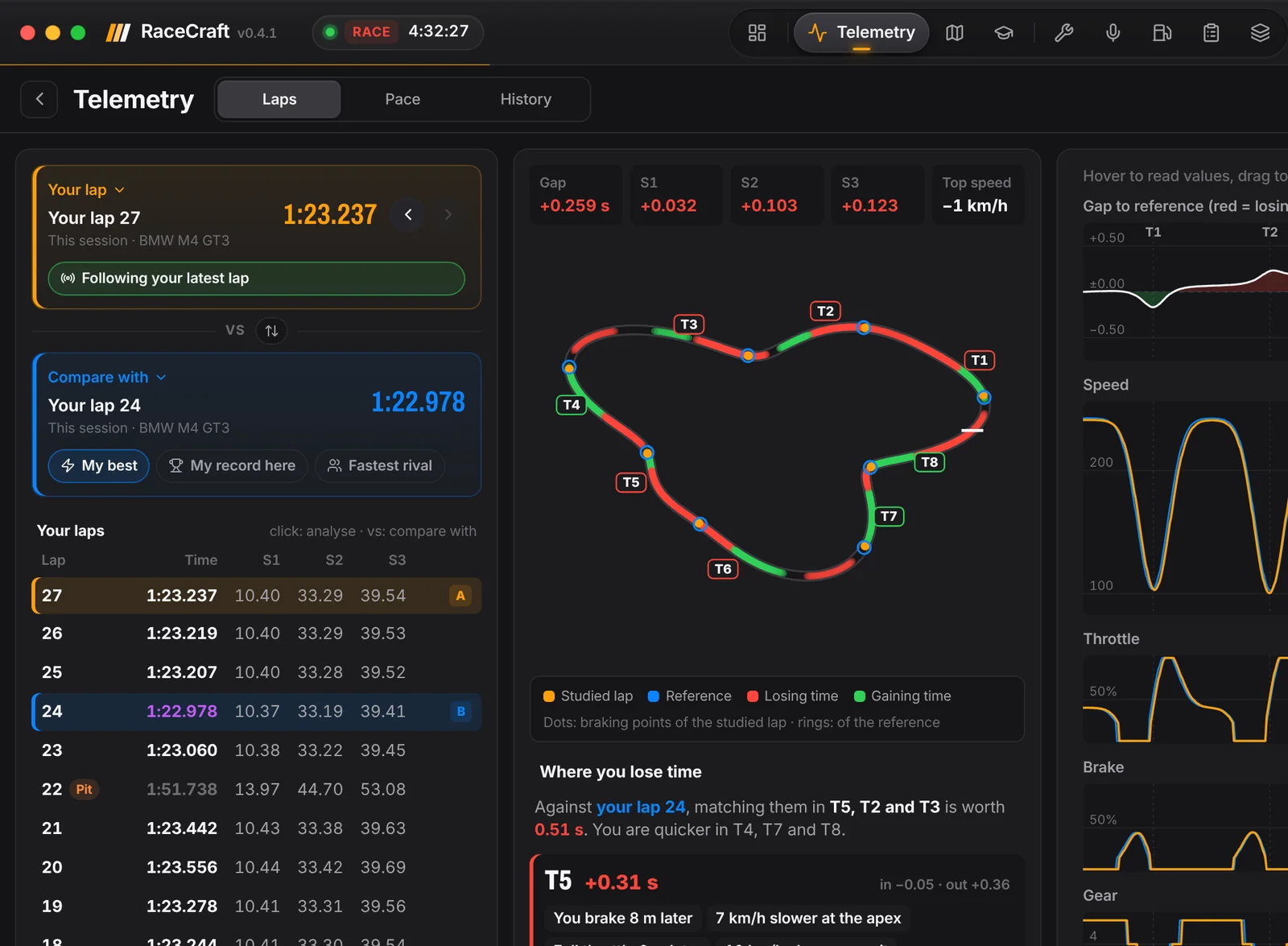
Compare two laps.
Pick any two laps and RaceCraft lines them up over the distance of the lap: speed, throttle, brake and steering, one on top of the other, with the corner numbers (T1, T2…) along the way.
The map shows where each lap is faster, and the list of corners tells you where the most time goes, so you know what to look at first.
- Your lap against your best of the session or your all-time record on that track and car.
- Against the fastest rival in the session.
- The delta building up through the lap, not only at the line.
Your pace in class.
The Pace view puts your session in context: where you rank in your class, how consistent your laps are, your ideal lap from your best sectors and what to work on next.
A live map with every car.
The live map shows every car on track, class by class, with gaps, tyres and pace. Open it on a second screen, or on your phone or tablet on the same Wi-Fi, while the PC runs the game.
Every session, kept on your PC.
Laps and telemetry are stored on your computer, session by session, and you can come back to them whenever you like. Nothing is uploaded, and nothing is installed inside the game: RaceCraft reads the telemetry Le Mans Ultimate shares.
When you know where the time goes, the driving coach turns it into drills for the next run.